


Troubleshooting Tips from the Experts – Discover expert troubleshooting tips from Greasley Electronics. Learn how to prevent faults, extend equipment life, and when to call the specialists in circuit board repair and PCB repair.
Helping You Keep Electronics Running Smoothly
At Greasley Electronics, we specialise in circuit board repair, PCB repair, and full electronic refurbishment for industries across the UK. Every day, our engineers handle everything from industrial controllers to robotic automation boards – helping businesses stay operational and avoid costly downtime.
But did you know that many issues can be prevented with simple troubleshooting checks? Here are our top tips to help you identify faults early and keep your systems performing at their best. – Here are Troubleshooting Tips from the Experts!
1. Start with a Visual Inspection
The simplest checks are often the most effective. Look for:
- Loose connectors or broken pins
- Burnt components or discolouration
- Signs of corrosion or contamination
These are all early indicators that your PCB or circuit board may be developing a fault. Catching problems early can prevent more serious damage.
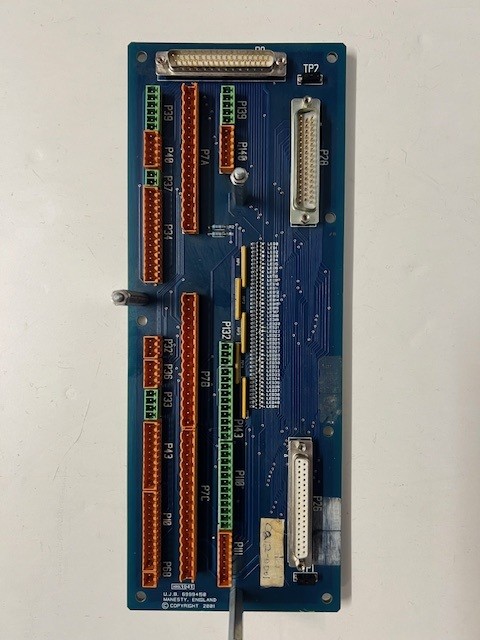
Refurbished and cleaned board which was slight corroded with pharmaceutical powder on.
2. Check Power Supply and Voltage Stability
Unstable power is a leading cause of electronic failure. Fluctuating voltages can overload sensitive components, leading to blown fuses or damaged boards.
Pro tip: If equipment regularly resets, cuts out, or displays unusual error codes, have the power supply checked before assuming the board itself has failed.
3. Keep Circuit Boards Clean
Dust, oil, and moisture are common in industrial settings – and they can all interfere with electronic performance. Regular cleaning prevents short circuits and corrosion.
At Greasley Electronics, every circuit board repair includes professional cleaning and testing, ensuring the board is returned in top working order.
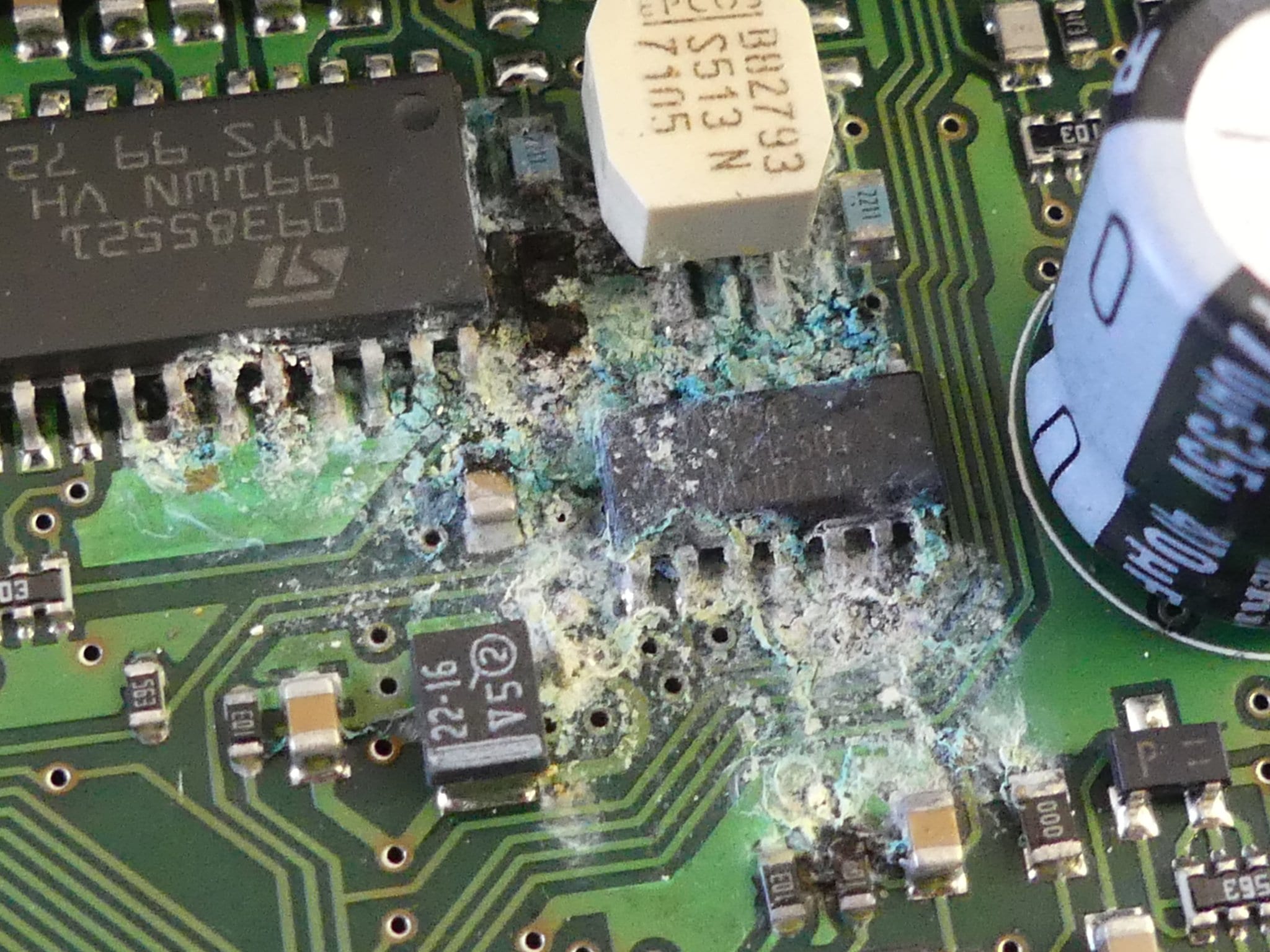
Water Damaged Circuit Board, Greasley Electronics in Leicestershire
4.Document Fault Symptoms
When something goes wrong, write down exactly what happened – when it failed, what conditions it was under, and any patterns you noticed. This information helps our engineers pinpoint the root cause faster during the PCB repair process. When sending circuit boards repairs through to us and its packaged up, ensure all of these details are inside the package.
5. Look, Listen, and Smell for Signs of Damage 👀
If a board gives off a burnt smell or shows melted components, disconnect power immediately. Continuing to run damaged boards can cause more extensive failures and make them harder (or impossible) to repair.
6. Know When to Call the Experts
Troubleshooting is a great start, but some issues require specialist tools and knowledge. That’s where Greasley Electronics comes in.
Our workshop is fully equipped to handle PCB repair, circuit board repairs locally, and complete refurbishment across multiple industries – from food manufacturing and robotics to medical and automotive sectors.
Why Greasley Electronics?
When you choose us for circuit board repair or PCB repair, you benefit from:
- Experienced engineers who understand complex board-level diagnostics.
- Full testing and refurbishment, not just quick fixes.
- Significant cost savings versus replacement parts.
- Sustainable repair solutions that reduce electronic waste.
- Quick local turnaround – perfect for businesses searching for circuit board repairs locally. (Surcharges may apply for emergency repairs).
Keep Your Equipment Performing :
Whether it’s troubleshooting a minor issue or repairing a full control system, Greasley Electronics is here to help. We’ll identify faults, carry out expert PCB repair, and return your equipment tested and ready for use.
Book Your Circuit Board Repair Today⬇️
If you’re experiencing electrical faults, downtime, or need help diagnosing an issue, contact Greasley Electronics today and pick up some Troubleshooting Tips from the Experts!
✅ Fast turnaround times
✅ Expert circuit board repair and PCB repair
✅ Local and National service
✅ All repairs tested and warranted
📞 Call us on 01530 835823 or visit www.greasley.co.uk to arrange your repair today and click the ‘enquire now’ button.